

HP LaserJet Pro M501dn Monochrome Laser Printer
LaserJet Pro M501dn Printer produces 45 pages each minute and gets the first print out in just 5.7 seconds, this printer will dramatically increase the productivity of your office.
HP LaserJet Pro M501dn Printer has automatic duplexing at up to 36 ipm for saving on paper. The relatively compact unit also features both a 100-sheet multipurpose tray, which supports media from 3 x 5″ up to 8.5 x 14″, and a standard 550-sheet input tray for working with all common paper sizes.
HP LaserJet Pro M501dn Printer is easy to use as well, with USB 2.0 and Ethernet connectivity and support for multiple mobile printing protocols. Additionally, it has a monthly duty cycle of 100,000 pages and offers a two-line backlit LCD and a numeric keypad for checking the status and entering data.
M501dn Printer compact unit also features both a 100-sheet multipurpose tray, which supports media from 3 x 5″ up to 8.5 x 14″, and a standard 550-sheet input tray for working with all common paper sizes.
HP LaserJet Pro M501dn Printer is easy to use as well, with USB 2.0 and Ethernet connectivity and support for multiple mobile printing protocols. Additionally, it has a monthly duty cycle of 100,000 pages and offers a two-line backlit LCD and a numeric keypad for checking status and entering data.
HP LaserJet Pro M501dn Printer futures
- HP FastRes and ProRes technology with laser printing at up to 4800 x 600 dpi.
- Print speeds of up to 45 ppm as well as duplex printing at up to 36 ipm.
- First print out speed of 5.7 seconds.
- Standard print languages include HP PCL 6, HP PCL5, HP PostScript Level 3 Emulation, PDF v1.7, URF, PCLM, and PWG.
- Mobile printing is possible using HP ePrint, Apple AirPrint, Google Cloud Print 2.0, and Mopria-certified protocols.
- This printer features a monthly duty cycle of 100,000 pages with a recommended monthly volume of 1500-6000 pages.
- Smart software features include N-up printing, collation, HP Auto-On/Auto-Off Technology, JetIntelligence Cartridge Technology, and built-in job storage with PIN printing.
- Printer management is possible using the UPD Printer Administrator Resource Kit, Active Directory Administrator Template for UPD, AutoUpgradeUPD, Driver Configuration Utility, Driver Deployment Utility, Managed Print Administrator, PRNCON.EXE, HPPRLOG, Migrate-ServerTools, UpdateNow, RemovePlugPlayDrivers, HP Web JetAdmin Software, HP Proxy Agent Software, HP JetAdvantage Security Manager, HP Utility (Mac), and HP Device Toolbox.
Media Handling
- A 100-sheet multipurpose tray can work with media from 3 x 5″ up to 8.5 x 14″ in size.
- The 550-sheet input tray can accept media from 4.1 x 5.8″ up to 8.5 x 14″.
- The output tray can hold up to 250 sheets.
- Works with paper (plain, EcoFFICIENT, light, midweight, intermediate, heavy, extra heavy, bond, cardstock, colored, letterhead, preprinted, prepunched, recycled, and rough), envelopes, labels, and transparencies.
- An optional 550-sheet input tray is available to increase capacity.
Mtech Technologies is your trusted source for HP inkjet printers in Kenya.
HP LaserJet Pro M501dn Printer Specifications
| SKU | |
|---|---|
| Sku | J8H61A |
| Print speed, black | 41 – 50 |
| Color output | Black and white |
| CATEGORY | |
| Product type | Laser Printers |
| Family brand | LaserJet |
| USAGE | |
| Perfect For | Small medium business |
| Usage | Small Work Team |
| FEATURES | |
| Functions | Print only |
| CONNECTIVITY AND COMMUNICATIONS | |
| HP ePrint capability | Yes |
| Ports | Hi-Speed USB 2.0 Host/Device Ports; Fast Ethernet 10Base-T/100Base-Tx, Gigabit Ethernet 1000Base-T |
| Network ready | Standard (built-in Gigabit Ethernet) |
| Connectivity, standard | Hi-Speed USB 2.0 Host/Device Ports; Fast Ethernet 10Base-T/100Base-Tx, Gigabit Ethernet 1000Base-T |
| Network capabilities | Yes, via built-in 10/100/1000Base-TX Ethernet, Gigabit; Auto-crossover Ethernet; Authentication via 802.1X |
| Wireless capability | No |
| Mobile printing capability | HP ePrint; Apple AirPrint™; Mopria™-certified |
| Network protocols, supported | TCP/IP, IPv4, IPv6; Print: TCP-IP port 9100 Direct Mode, LPD (raw queue support only), Web Services Printing, HP ePrint, Apple AirPrint™, Google Cloud Print 2.0, Mopria, FTP Print, IPP Print; Discovery: SLP, Bonjour, Web Services Discovery; IP Config: IPv4 (BootP, DHCP, AutoIP, Manual), IPv6 (Stateless Link-Local and via Router, Statefull via DHCPv6), SSL Security and Certificate management; management: SNMPv1, SNMPv2, SNMPv3, HTTP/HTTPS, Syslog, FTP FW Download |
| PRINTING MEDIA HANDLING | |
| Finished output handling | Sheetfed |
| Output capacity | Up to 250 sheets |
| Maximum output capacity (sheets) | Up to 250 sheets |
| Media type and capacity, tray 3 | 550 sheets of 20-lb cut sheet paper |
| Standard output capacity (transparencies) | Up to 75 sheets |
| Media type and capacity, tray 1 | 100 sheets of 20-lb cut sheet paper, 10 envelopes |
| Media type and capacity, tray 2 | 550 sheets of 20-lb cut sheet paper |
| Paper handling input, standard | 100-sheet multipurpose tray and 550-sheet main cassette |
| Paper handling input, optional | Optional 550-sheet cassette tray (Tray 3) |
| Input capacity | 650 |
| Paper handling output, standard | 250-sheet face down output tray |
| Standard output capacity (envelopes) | Up tp 10 envelopes |
| Maximum input capacity (sheets) | 1200 |
| Standard input capacity (envelopes) | Up tp 10 |
| Paper handling note number | 16 Optional 550-sheet input tray; Optional printer stand. |
| DISPLAY SPECIFICATIONS | |
| Display HP | 2-line LCD (text) |
| Display area (metric) | 46 x 12.5 mm |
| ENVIRONMENTAL | |
| Acoustic pressure emissions bystander (active, printing) | 54 dB(A) |
| Non-Operating Humidity Range | 10 to 90% RH |
| Operating humidity range | 10 to 80% RH |
| Storage temperature range | -20 to 60ºC |
| Operating temperature range | 15 to 32.5ºC |
| Acoustic power emissions | 6.8 B(A) |
| Recommended operating temperature range | 17.5 to 25ºC |
| Acoustic power emissions (ready) | 4.0 B(A) |
| Acoustic pressure emissions bystander (ready) | 25 dB(A) |
| CARTRIDGES AND PRINTHEADS | |
| Technology | Laser |
| Number of print cartridges | 2 (black) |
| Replacement cartridges | HP 87A Black Original LaserJet Toner Cartridge (~9,000 yield) CF287A, HP 87X Black Original LaserJet Toner Cartridge (~18,000 yield) CF287X |
| Supplies feature | HP JetIntelligence Cartridge |
| PRINT SPEED | |
| Print speed black (normal, letter) | Up to 45 ppm |
| Print speed black (normal, A4) | Up to 43 ppm |
| Print speed | Print speed up to 45 ppm (black) |
| Print speed duplex (A4) | Up to 34 ipm |
| Print speed black (Landscape, A5) | Up to 66 ppm |
| Print speed duplex (letter) | Up to 36 ipm |
| Print speed footnote number (A5) | 11 Measured using ISO/IEC 24734 Feature Performance Test, excludes first set of test documents. For more information see http://www.hp.com/go/printerclaims. Exact speed varies depending on the system configuration, software application, driver, and document complexity. |
| BATTERY AND POWER | |
| Power | Input voltage: 100 to 127 VAC, 60 Hz; Input voltage: 200 to 240 VAC, 50 Hz (Not dual voltage, power supply varies by part number with #option code identifier) |
| Power Consumption | 660 watts (active printing), 6.1 watts (ready), 1.3 (sleep), 0.7 watts (Auto-Off/wake on USB connection, disabled at shipment) 0.1 watts (Auto-Off/Manual-On), 0.1 watts (Manual-Off) |
| Power supply type | Internal (Built-in) power supply |
| PRINT TIME | |
| First page out black (letter, ready) | As fast as 5.7 sec |
| First page out black (A4, ready) | As fast as 5.8 sec |
| First page out black (letter, sleep) | As fast as 7.3 sec |
| PRINTER SPECIFICATIONS | |
| Storage device and direct print support | USB printing |
| Duty cycle (monthly, letter) | Up to 100,000 pages |
| Envelope feeder | No |
| Functions | |
| Print languages | HP PCL 5, HP PCL 6, HP postscript level 3 emulation, direct PDF (v 1.7) printing, URF, PCLM, PWG |
| Paper trays, maximum | 3: 2 x 550 cassettes and 1 x 100-sheet multipurpose tray |
| Duty cycle (monthly, A4) | Up to 100,000 pages |
| Paper trays, standard | 2: 1 x 550 cassette and 1 x 100-sheet multipurpose tray |
| Recommended monthly page volume | 1500 to 6000 |
| Print technology | Laser |
| Duplex printing | Automatic |
| Fonts and typefaces | 84 scalable TrueType fonts |
| Automatic paper sensor | No |
| Printer management | UPD Printer Administrator Resource Kit; Active Directory Administrator Template for UPD, AutoUpgradeUPD, Driver configuration Utility, Driver Deployment Utility, Managed Print Administrator, PRNCON.EXE, HPPRLOG, Migrate-Server- Tools, UpdateNow, RemovePlugPlayDrivers; HP Web JetAdmin Software, HP Proxy Agent Software, HP JetAdvantage Security Manager, HP Utility (Mac), HP Device Toolbox |
| Print colours | No |
| Top key features | Two-sided printing |
| Target user and print volume | For teams up to 15 users; Prints up to 6,000 pages/month |
| CERTIFICATION AND COMPLIANCE | |
| ENERGY STAR® certified | Yes |
| Energy Efficiency Compliance | ENERGY STAR® qualified; EPEAT® Silver; CECP; Taiwan Green Mark |
| Electromagnetic Emission Standard | CISPR 22:2008 (International) – Class A, EN 55022: 2010 (EU) – Class A, EN 61000-3-2: 2006 +A1: 2009 +A2: 2009, EN 61000-3-3: 2008, EN 55024: 2010, EMC Directive 2004/108/EC; FCC CFR 47 Part 15 Class A / ICES-003, Issue 5 Class A, Other EMC approvals as required by individual countries |
| Safety Approvals and Requirements | IEC 60950-1:2005 +A1:2009 +A2:2013 (International); EN60950-1:2006 +A11:2009 +A1:2010 +A12:2011 +A2:2013 (EU); EN 60825-1:2007 / IEC 60825-1:2007 (Class 1 Laser Product); EN 62479:2010 / IEC 62479:2010; Low Voltage Directive 2006/95/EC with CE Mark (Europe); GS Certificate (Germany, Europe); UL/cUL Listed and UC CoC (US/Canada); CAN/CSA C22.2 No. 60950-1-07 2nd Ed. 2011-12 Compliance with Laser safety standards 21 CFR 1040.10 and 1040.11 except for deviations pursuant to Laser notice No. 50, Dated June 24, 2007; Other safety approvals as required by individual countries |
| Environmental | ENERGY STAR® certified; EPEAT® rated |
| Blue Angel compliant | Yes; Blue Angel RAL-UZ 205 |
| FCC Class A Emissions | FCC Class A emissions – for use in commercial environments, not residential environments |
| GEOGRAPHIC | |
| Country of origin | J8H61A#696 – Made in Brazil |
| WARRANTY | |
| Warranty | 1 Year Limited Warranty (Return to HP/Dealer – Standard Bench Repair) |
| DIMENSIONS | |
| Dimensions without stand (W x D x H) | 418 x 376 x 289 mm |
| Package dimensions (W x D x H) | 497 x 398 x 466 mm |
| Maximum dimensions (W x D x H) | 418 x 639 x 289 mm |
| Dimension footnote number | 2 Includes control panel height and 4mm side handle protrusions |
| WEIGHTS | |
| Weight | 11.6 kg |
| Package weight | 14.5 kg |
| SYSTEM COMPONENTS | |
| Control panel | 2-line; backlit text display; 6 buttons (Cancel job, Up arrow, Down arrow, Select, Back, Settings) and 12 key numerical |
| PROCESSOR | |
| Processor speed | 1500 MHz |
| MEMORY | |
| Memory | 256 MB |
| Memory, maximum | 256 MB |
| BOX CONTENTS | |
| Cable included | Yes, 1 USB (AP only); No, please purchase USB cable separately (EMEA, Americas) |
| SUPPORTED PRINTING MEDIA | |
| Media sizes supported | Tray 1: 10 x 15 cm, 16k (184 x 260 mm), 16k (195 x 270 mm), 16k (197 x 273 mm), A4, A5, A6, Envelope B5, Envelope C5, Custom, Envelope DL, B5 (JIS), B6 (JIS), Japanese Postcard, Double Japan Postcard Rotated, Oficio (216 x 340 mm); Tray 2 & Tray 3: 16k (184 x 260 mm), 16k (195 x 270 mm), 16k (197 x 273 mm), A4, A5, A6, Custom, B5 (JIS), B6 (JIS), Double Japan Postcard Rotated, Oficio (216 x 340 mm) |
| Media size, tray 3 | Tray 3: 16k (184 x 260 mm), 16k (195 x 270 mm), 16k (197 x 273 mm), A4, A5, A6, Custom, B5 (JIS), B6 (JIS), Double Japan Postcard Rotated, Oficio (216 x 340 mm) |
| Media size, tray 1 | Tray 1: 10 x 15 cm, 16k (184 x 260 mm), 16k (195 x 270 mm), 16k (197 x 273 mm), A4, A5, A6, Envelope B5, Envelope C5, Custom, Envelope DL, B5 (JIS), B6 (JIS), Japanese Postcard, Double Japan Postcard Rotated, Oficio (216 x 340 mm) |
| Media size, tray 2 | Tray 2: 16k (184 x 260 mm), 16k (195 x 270 mm), 16k (197 x 273 mm), A4, A5, A6, Custom, B5 (JIS), B6 (JIS), Double Japan Postcard Rotated, Oficio (216 x 340 mm) |
| Standard media sizes (duplex) | A4 |
| Media weight, supported | Tray 1: 60 to 220 g/m²; Tray 2 & Tray 3: 60 to 120 g/m² |
| Media types | Paper (plain, EcoFFICIENT, light, midweight, intermediate, heavy, extra heavy, bond, cardstock, colored, letterhead, preprinted, prepunched, recycled, rough, ecofficient); envelopes; labels; transparencies |
| Media weight (tray 2) | Tray 2: 60 to 120 g/m² |
| Recommended media weight (duplex) | 60 to 175 g/m² |
| Media weight (tray 1) | Tray 1: 60 to 220 g/m² |
| Media sizes, custom | Tray 1: 76.2 x 127 mm to 215.9 x 355.6 mm; Tray 2 & Tray 3: 105 x 148 mm to 215.9 x 355.6 mm |
| Media sizes supported, key | 4 x 6 in; Letter; Legal; Envelopes |
| Media sizes supported, key | 10 x 15 cm; A4; Envelopes |
| SYSTEM REQUIREMENTS | |
| Minimum System Requirements for Macintosh | Compatible OS (see “Compatible Operating Systems”); Internet connection (for software installation); dedicated USB connection or a network connection (wired or wireless); 1 GB available harddisk space; (For operating system minimum hardware requirements, see the OS manufacturer, such as Apple.com) |
| Minimum System Requirements | Compatible OS (see “Compatible Operating Systems”); CD-ROM drive or Internet connection (for software installation); dedicated USB connection or a network connection (wired or wireless); 1 GB available harddisk space; (For operating system minimum hardware requirements, see the OS manufacturer, such as microsoft.com) |
| SOFTWARE AND APPLICATIONS | |
| Driver updates | From 123.hp.com: HP Easy Start (Guided Software Install for Windows and Mac); From HP.com for Windows OS: Full-solution software and drivers (Same solution as “Software Included”), HP PLC 6 print driver only (No installer; for “Add Printer” installs), HP PCL 6 print driver with installer, Product Documentation and Support; From HP.com for Mac OS: Full-solution software and drivers; For Mobile OS: See “HP Mobile Printing” (http://www8.hp.com/us/en/ads/mobility/overview.html); From In-OS app stores: HP recommended printer drivers and software; From HP.com for printer administrators: Printer Administrator Resource Kit (Driver Configuration Utility, Driver Deployment Utility, Managed Printing Administrator), HP Universal Print Drivers (PCL6, PCL5 & PS for Windows), HP ePrint Software (ePrint Mobile Driver for Windows), Linux/Unix Print Drivers, SAP (PCL 5 and PS Print Drivers), HP Web JetAdmin Software, HP Proxy Agent Software, HP JetAdvantage Security Manager. |
| Downloadable software | From 123.hp.com; HP Easy Start (Guided Software Install for Windows OS and Mac); From HP.com for Windows OS; Full-solution software and drivers (Same solution as “Software Included”); HP PCL6 print driver only (No installer for “Add Printer” installs),HP PCL6 print driver with installer, Product Documentation and Support ;From HP.com for Mac OS;Full-solution software and drivers ;For Mobile OS; (See “HP Mobile Printing” http://www8.hp.com/us/en/ads/mobility/overview.html) ;From In-OS app stores; HP recommended printer drivers and software ;http://www.HP.com for printer administrators, Printer Administrator Resource Kit (Driver Configuration Utility, Driver Deployment Utility, Managed Printing Administrator), HP Universal Print Drivers (PCL6 & PS for Windows), HP ePrint Software (ePrint Mobile Driver for Windows), Linux/Unix Print Drivers, SAP (PS Print Drivers), HP Web JetAdmin Software, HP Proxy Agent Software, HP JetAdvantage Security Manager, HP Imaging and Printing Security Center |
| Mac | |






 No products in the cart.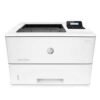
Reviews
There are no reviews yet.